Influence Line: Node Deformation#
As before, the computation is based on the unit-load method, which states:
- To obtain the influence line for a specific displacement or rotation,a unit force or unit moment is applied exactly at the location and in the directionof the quantity of interest.
The system is then solved using the displacement method.
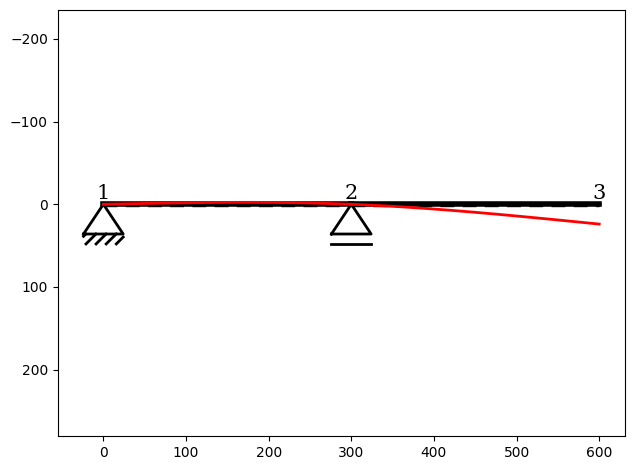
The resulting deformation of the structure represents the influence line of the selected quantity.
In this example, we apply a unit vertical force at node_3 to obtain the influence line for its vertical displacement \(w\).
You can find the example as an executable Python file here.
Import Modules#
InfluenceLine instance:[1]:
from sstatics.core.preprocessing import (
    Node, Bar, Material, CrossSection, System
)
from sstatics.core.calc_methods import InfluenceLine
from sstatics.core.postprocessing.graphic_objects import ObjectRenderer, SystemGeo
Create System#
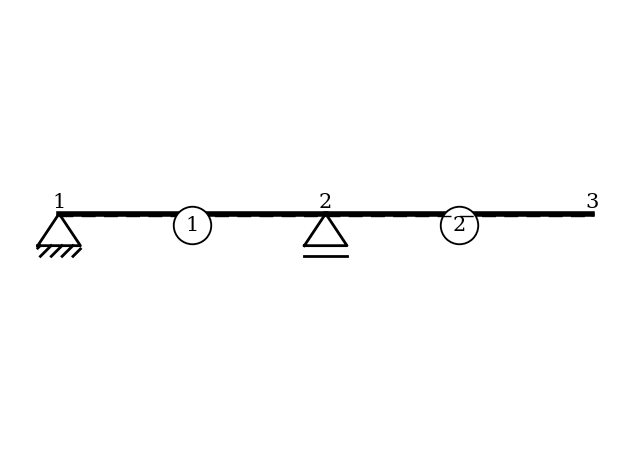
The system consists of two bars and three nodes. Nodes 1 and 2 include supports, while node 3 is free in the vertical direction:
[2]:
# 1. Define material and cross-section
mat = Material(21000, 0.1, 8100, 0.1)          # S235
cs = CrossSection(2769, 76.84, 20, 10, 0.1)   # HEA-240

# 2. Define nodes with supports
node_1 = Node(0, 0, u='fixed', w='fixed')
node_2 = Node(300, 0, w='fixed')
node_3 = Node(600, 0)

# 3. Define bars and system
bar_1 = Bar(node_1, node_2, cs, mat)
bar_2 = Bar(node_2, node_3, cs, mat)
system = System([bar_1, bar_2])

# Visualize system
ObjectRenderer(SystemGeo(system, show_bar_text=True), 'mpl').show(show_axis=False)
Create Influence-Line#
We now create an InfluenceLine object that performs the computation:
[3]:
# 4. Define Influence line
il = InfluenceLine(system)
Compute Influence Line#
To compute the influence line, we apply a unit vertical force at node_3. Since influence lines at nodes do not require a position parameter, we simply specify the node:
[4]:
il.deform(kind='w', obj=node_3)